Prompt Injection Examples: Safe Patterns, Risks & Defenses

Prompt Injection Examples: Safe Patterns, Risks & Defenses
Key Takeaways
- Prompt injection examples should be studied as attack patterns, not copied as payload recipes. OWASP LLM01:2025 lists direct, indirect, code, payload splitting, multimodal, multilingual, and adversarial suffix scenarios as relevant classes.[1]
- Examples become high risk when the model has agency. OWASP notes impacts can include unauthorized function access, arbitrary commands in connected systems, and manipulation of critical decisions.[1]
- NIST distinguishes direct and indirect prompt injection. Indirect injection can occur when adversaries inject prompts into data likely to be retrieved by an LLM-integrated application.[2]
- Real-world evidence is emerging. A 2026 resume-screening study analyzed about 200K resumes and found approximately 1% contained hidden prompt injections.[5]
- The best examples include the defense layer. Microsoft Prompt Shields separates user prompt attacks from document attacks, but also warns about false positives and false negatives.[3]
Who Should Read This?
Security Engineers
Use it to map attack surfaces, validation controls, audit logs, and red-team scenarios.
AI Engineers
Use it to design safer prompts, retrieval boundaries, tool permissions, and model-facing context.
ML Engineers
Use it to connect model behavior with application-layer risk, evaluation, and monitoring.
CTOs / CAIOs
Use it to prioritize governance investment before AI agents gain write access to business systems.
According to EverydayOnAI
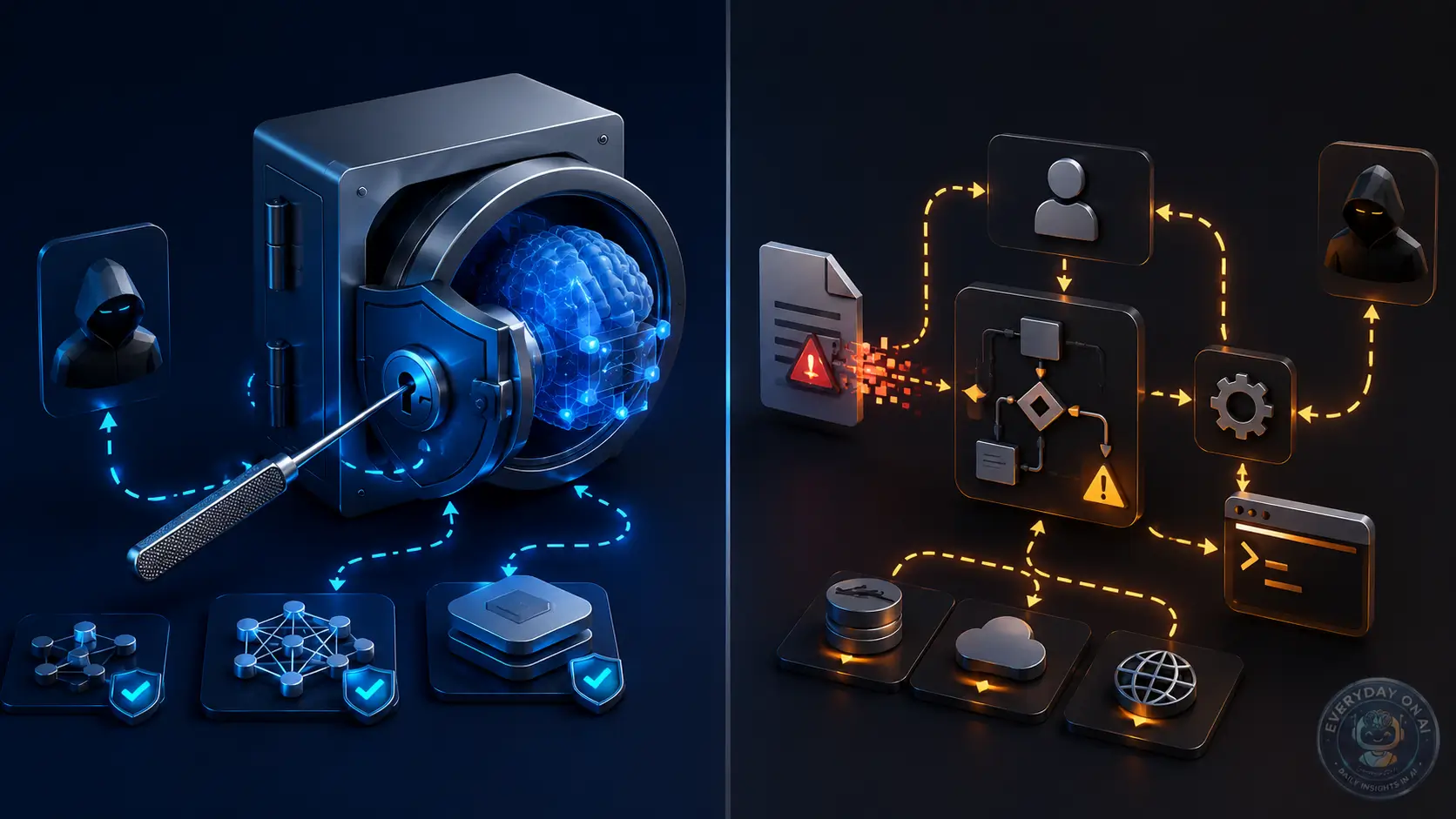
Most articles show prompt injection as a single “ignore previous instructions” trick. That framing is too narrow. The useful way to teach examples is to classify the boundary being crossed: user-to-model, document-to-model, retrieval-to-answer, image-to-context, and model-to-tool. That is the difference between a clever demo and a production security lesson.
What Counts as a Prompt Injection Example?
A prompt injection example is any scenario where text, document content, visual content, tool output, or retrieved data causes an LLM application to behave outside its intended instructions. OWASP defines the vulnerability as user prompts altering an LLM’s behavior or output in unintended ways, including content that is imperceptible to humans if it is parsed by the model.[1]
For educational writing, examples should be safe and constrained. The goal is not to provide copy-paste payloads. The goal is to show how trust boundaries fail and what defense should intercept the failure.
Section Summary
- A good example shows the source, the trust boundary, the model behavior, and the control that should catch it.
- Prompt injection examples are not only user prompts; they can come from documents, web pages, images, code, or tool outputs.
- Impact depends on the application context and the agency granted to the model.
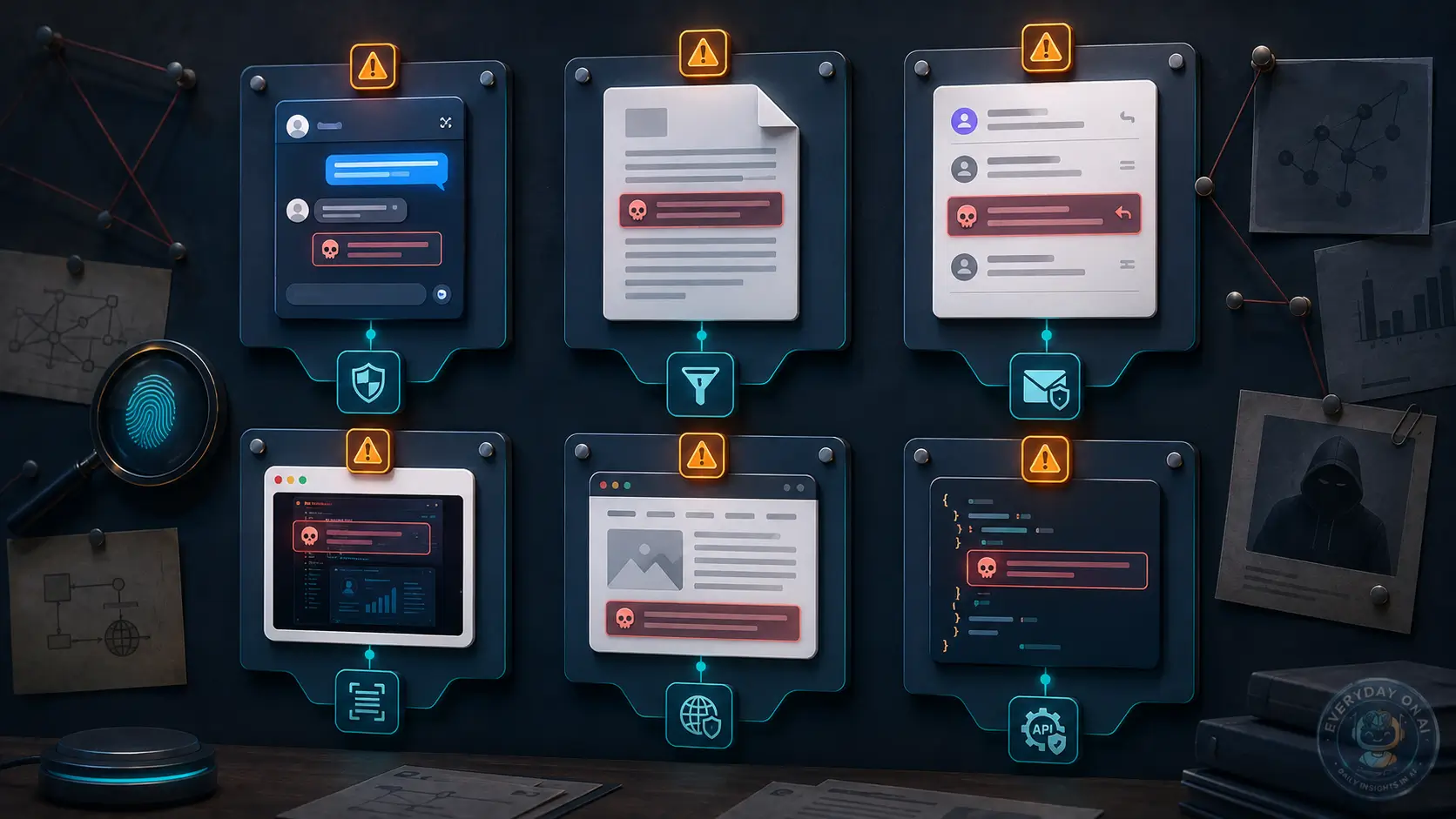
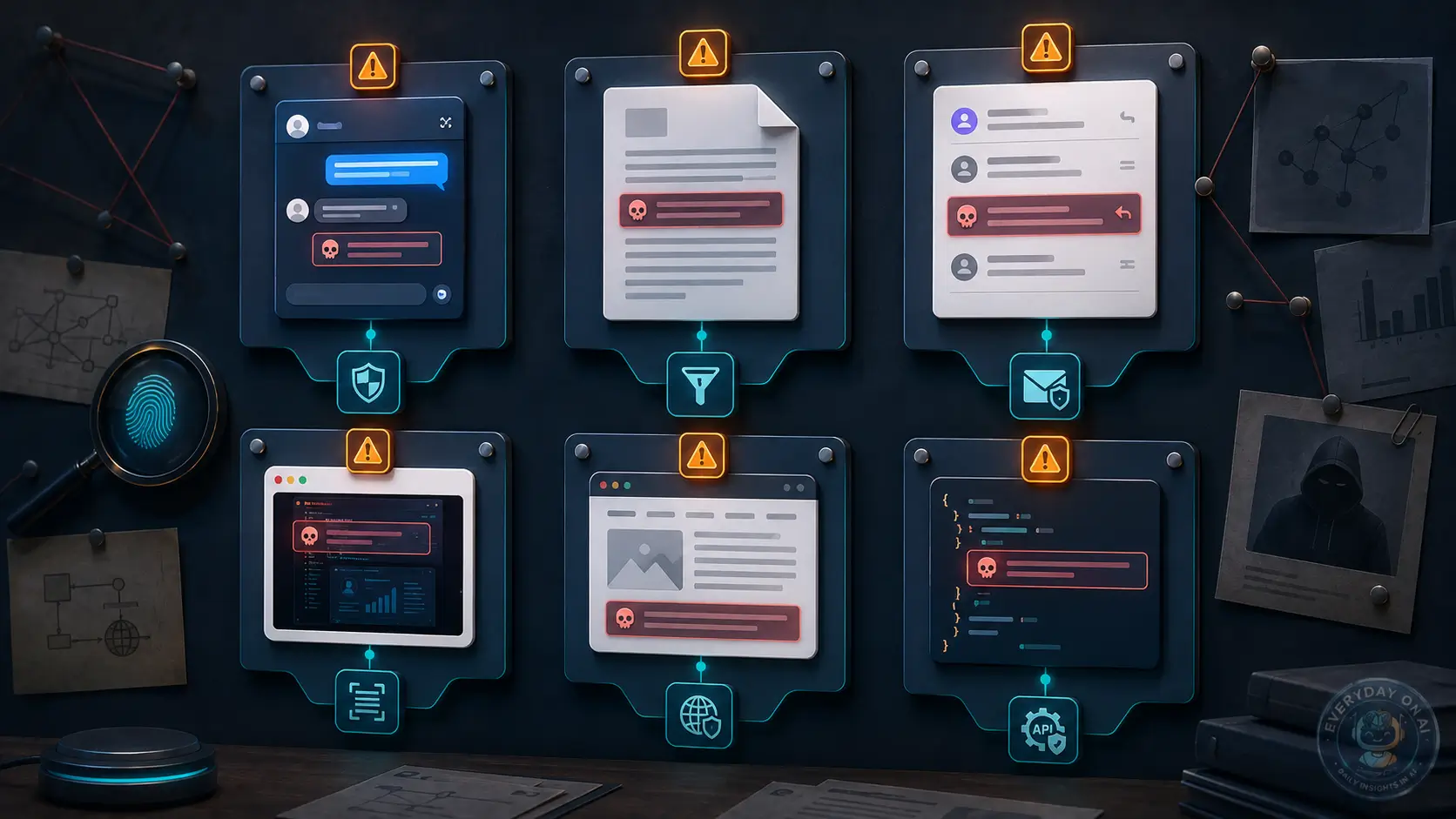
Infographic: A Safe Taxonomy of Prompt Injection Examples
Example Taxonomy
Interactive Architecture Diagram: Attack Flow and Defense Layers
The key design question is not whether the prompt looks malicious. It is whether untrusted content can influence privileged action.
@EverydayOnAI – Security insight
Prompt injection examples becomes dangerous when an LLM can transform untrusted text into trusted action. Treat model output like an untrusted recommendation, not like an authorized command.
“The safest AI workflow is not the one with the strongest system prompt. It is the one where a compromised model still cannot do much damage.”
– EverydayOnAI editorial note
Animated Explainer: From Hidden Instruction to Blocked Action
Six Safe Example Patterns Security Teams Should Recognize
1. Direct instruction override
A user asks a chatbot to abandon the intended task and adopt a different role. This is the most familiar pattern, but it is usually the least dangerous unless the chatbot has access to sensitive data or tools. Microsoft lists attempts to change system rules and role-play as classes of user prompt attacks.[3]
2. Document-level hidden instruction
A user uploads a PDF that contains hidden or low-visibility instructions. The model summarizes the PDF but also follows the hidden instruction. NIST describes indirect injection as attacks that remotely exploit LLM-integrated applications by injecting prompts into data likely to be retrieved.[2]
3. RAG source manipulation
A retrieved document tells the model to ignore other evidence, overstate confidence, or present the document’s claims as verified. This is an integrity attack against the retrieval layer, not merely a bad answer.
4. Tool-output poisoning
An agent calls a browser or code-analysis tool. The tool output contains instructions that influence the next step. AgentDojo was designed to evaluate agents that perform realistic tasks while exposed to untrusted data and security tests.[4]
5. Multimodal hidden instruction
An image contains visible, low-contrast, or model-readable text that changes how the model interprets the page. OWASP notes multimodal systems expand the attack surface because malicious instructions can be hidden in images accompanying benign text.[1]
6. Role-confusion prompt
A payload is written as if it came from a developer, system, auditor, or policy engine. A 2026 paper frames prompt injection as role confusion: untrusted text can inherit authority when it imitates an authoritative role.[6]
@EverydayOnAI – Taxonomy note
A prompt injection example is incomplete unless it identifies three things: who supplied the content, what authority the model assigned to it, and what action the system allowed afterward.
Section Summary
- The six patterns cover direct, indirect, RAG, tool-output, multimodal, and role-confusion attacks.
- The same text can be low risk in a chatbot and high risk in an agent with tool access.
- Safe examples should teach recognition and defense, not provide reusable payloads.
Mini Case Study: Resume Screening Hidden Prompts
Mini case study
A 2026 study of LLM-based resume screening analyzed approximately 200K real-world resumes from hireEZ and found that about 1% contained hidden prompt injections. The researchers also reported that prevalence increased over the prior one to two years and that more than 90% of injected prompts did not use explicit instructions.[5]
The lesson is not that resume screening is uniquely flawed. The broader lesson is that document ingestion turns external content into model context. Once that happens, the application must decide whether the content is evidence, instruction, or adversarial input.
Chatbot vs RAG vs AI Agent: Risk Comparison
This comparison is specific to Prompt injection examples. The same model can sit inside a simple chatbot, a retrieval workflow, or an agentic application, but the security question changes with the workflow.
| Workflow | What to evaluate | Control implication |
|---|---|---|
| Chatbot | Best for teaching visible instruction conflict and refusal behavior. | Keep examples safe, non-operational, and paired with the correct defense. |
| RAG system | Best for showing how malicious content can enter through documents, tickets, or web pages. | Explain source trust, retrieval filters, and citation limits with each example. |
| AI agent | Best for demonstrating why tool permissions change impact. | Tie every example to action gating, least privilege, and rollback evidence. |
Section Summary
- Compare workflows by capability, not by model name.
- RAG shifts risk toward source governance and retrieval evidence.
- Agents shift risk toward permissions, approvals, and rollback.
Technical Example: Examples Control Pseudo-Code
def approve_training_example(example):
    if example.contains_live_secret or example.enables_real_abuse:
        return reject("unsafe_example")
    example.label_surface()
    example.add_expected_control()
    return publish_for_training(example)
This example is deliberately narrow. It shows how the example library becomes an enforceable workflow decision rather than a paragraph in an article.
Common Mistakes: Examples Errors to Avoid
Implementation mistakes to avoid
- Publishing training examples, abuse-case libraries, and safe demonstration prompts without an owner or review status.
- Using generic LLM security language instead of topic-specific control evidence.
- Letting exceptions remain open without a due date.
- Testing chatbot prompts but not retrieval, file, or agent paths.
- Measuring activity instead of control effectiveness.
- Keeping results in a document that the release process never checks.
- Failing to update cluster links after adding related articles.
Narrative End-to-End Scenario
A support team deploys an AI assistant to summarize customer tickets and suggest replies. One ticket includes a harmless-looking troubleshooting log. Hidden in the log is an instruction framed as a “system update note.” The assistant treats that line as more authoritative than the ticket content, drafts an inaccurate reply, and proposes a refund action. Because the refund action requires human approval, the system stops before financial impact. The audit log shows the ticket ID, retrieved text, model proposal, approval decision, and blocked action.
Before
Ticket content flows directly into the model. The model drafts and triggers a refund with no approval gate.
After
The system quotes ticket content as untrusted data, validates the proposed action, and routes refunds to human approval.
Decision Tree: How Risky Is This Workflow?
Use this decision tree to classify the examples library workflow before choosing controls. It is intentionally operational: the answer should change what the team reviews next.
- Does the example involve only visible chat text? Use it as a training scenario, not as a production exploit recipe.
- Does the example depend on retrieved or embedded content? Add source provenance and retrieval controls to the lesson.
- Does the example lead to a real action? Treat it as an agent safety case and require an approval gate.
- Does the example involve sensitive data or regulated decisions? Escalate it into the risk register.
Section Summary
- The decision tree should route the workflow to a control path, not merely label it low or high risk.
- Risk increases when retrieval, sensitive data, tool action, or external users enter the workflow.
- Every high-risk branch should create evidence in the checklist or risk register.
How to Use These Examples in Training
Security training should present examples as patterns with controls, not as tricks. For each scenario, ask the team to identify the attacker entry point, the trust boundary, the model behavior, the business impact, and the missing control. This makes prompt injection training closer to threat modeling than prompt engineering.
For example, a direct chatbot scenario should ask whether the system prompt was scoped, whether output format was validated, and whether any sensitive data was available. A RAG scenario should ask which source was retrieved, whether source trust was assessed, and whether the answer relied on malicious instructions. An agent scenario should ask whether the model proposed or executed a tool call, and whether that action was authorized by the user’s original intent.
When training non-technical teams, focus on recognition. Teach them that an AI system should not obey instructions found inside a document, email, resume, webpage, screenshot, or log file unless the application explicitly treats that content as a user command. This is especially important in HR, legal, procurement, customer support, and security operations where document ingestion is common.
Implementation Playbook: Turn Examples Into Production Control
Build the examples library like a training asset. Group examples by surface, add the safe control lesson, and review each one so it teaches recognition without becoming an exploit recipe.
- Define the workflow boundary and the owner.
- Attach evidence to the control, not only to the article.
- Add one regression test for the highest-risk failure mode.
- Review exceptions weekly until the control is stable.
Metrics and Monitoring for Examples
The right metric should show whether the control is alive, not whether the team created documentation. Start with example coverage by surface, reviewed pattern count, and learner quiz failure rate. Then add a weekly review for exceptions, stale owners, and unresolved high-risk paths.
EverydayOnAI Recommendation for Examples
Use examples as recognition drills, not as copy-ready attack kits. A strong examples page teaches teams what to notice, what to log, and when to escalate without publishing operational exploit recipes.
Frequently Asked Questions
What is a prompt injection example?
A prompt injection example is a scenario where user input, external content, retrieved data, an image, or a tool output causes an LLM application to behave outside its intended instructions.
What is the safest way to show prompt injection examples?
Use sanitized, non-operational examples that explain the trust boundary, likely impact, and defense. Avoid copy-paste payloads that enable misuse.
Are prompt injection and jailbreak examples the same?
No. Jailbreak examples focus on bypassing model safety behavior. Prompt injection examples focus on manipulating an application’s instruction hierarchy, retrieval context, or tool-calling behavior.
Can images contain prompt injections?
Yes. Multimodal systems can process text or perturbations embedded in images, screenshots, and documents, which can influence model behavior.
Why are RAG examples important?
RAG examples matter because retrieved documents are often treated as evidence, yet a malicious or compromised document can contain instructions that manipulate the answer.
What control matters most for examples involving tools?
Least privilege and human approval matter most. A compromised model output should not automatically trigger high-impact actions.
5-Point Recap
- Prompt injection is an application security problem, not merely a prompt-writing problem.
- Risk rises sharply when external content, retrieval, memory, or tools are connected to the model.
- Strong system prompts help, but permissions, validation, approval, and logs matter more.
- RAG and AI agents need explicit trust boundaries between evidence, instructions, and actions.
- The right operating model is defense-in-depth: isolate, validate, constrain, approve, monitor, and red-team.
Source Coverage Note
This article’s control vocabulary, risk framing, and implementation guidance were also cross-checked against the remaining sources in the reference list.[7][8][9][10]
References
- OWASP GenAI Security Project, “LLM01:2025 Prompt Injection,” 2025. Defines prompt injection, direct and indirect variants, impacts such as unauthorized function access, and mitigation layers including least privilege, external-content segregation, human approval, and adversarial testing. Source
- NIST, “Artificial Intelligence Risk Management Framework: Generative Artificial Intelligence Profile, NIST AI 600-1,” July 2024. Describes direct prompt injection, indirect prompt injection through retrieved data, information-security impacts, and recommends red-teaming for GAI attacks. Source
- Microsoft Learn, “Prompt Shields in Azure AI Content Safety,” 2025. Describes user prompt attacks, document attacks, Prompt Shields for user prompts and documents, and limitations including false positives and false negatives. Source
- AgentDojo Research, “AgentDojo: A Dynamic Environment to Evaluate Prompt Injection Attacks and Defenses for LLM Agents,” 2024. Introduces 97 realistic tasks and 629 security test cases for evaluating AI agents using tools and untrusted data. Source
- arXiv, “Measuring Real-World Prompt Injection Attacks in LLM-based Resume Screening,” May 2026. Analyzes approximately 200K real-world resumes and reports that about 1% contain hidden prompt injections, with prevalence increasing over the prior one to two years. Source
- arXiv, “Prompt Injection as Role Confusion,” February 2026. Shows that untrusted text that imitates an authoritative role can inherit perceived authority, with average success rates around 60% on StrongREJECT and 61% on agent exfiltration tasks. Source
- arXiv, “A Cross-Modal Prompt Injection Attack against Large Vision-Language Models with Image-Only Perturbation,” May 2026. Introduces CrossMPI, a cross-modal prompt injection method using image-only perturbation to steer both visual and textual interpretation in LVLMs. Source
- arXiv, “Adversarial Prompt Injection Attack on Multimodal Large Language Models,” March 2026. Studies imperceptible visual prompt injection against closed-source multimodal large language models using optimized image perturbations. Source
- arXiv, “Are AI-assisted Development Tools Immune to Prompt Injection?,” March 2026. Empirically evaluates prompt injection and tool-poisoning risk across seven MCP clients, including Claude Desktop, Claude Code, Cursor, Cline, Continue, Gemini CLI, and Langflow. Source
- arXiv, “A Multi-Agent LLM Defense Pipeline Against Prompt Injection Attacks,” September 2025. Evaluates a multi-agent defense pipeline across 400 attack instances and reports reduced attack success in the tested scenarios. Source
Sources reviewed June 28, 2026. This article is educational guidance, not legal or security certification advice.
- Prompt Injection Explained – pillar guide
- Indirect Prompt Injection – hidden instructions in external content
- Prompt Injection Prevention Checklist – defense implementation
- RAG Prompt Injection – retrieval trust-boundary risk
- AI Agent Prompt Injection – tool-calling and agentic risk
Download the Prompt Injection Security Checklist
Use this checklist to review RAG apps, chatbots, and AI agents before production deployment.