LLM Security Checklist: OWASP Controls for AI Apps



LLM Security Checklist: OWASP Controls for AI Apps
Key Takeaways
- LLM security is broader than prompt injection. OWASP’s 2025 list includes prompt injection, sensitive information disclosure, supply chain, data/model poisoning, improper output handling, excessive agency, system prompt leakage, vector weaknesses, misinformation, and unbounded consumption.[1]
- NIST frames GAI security as lifecycle risk management. Organizations should adapt conventional cybersecurity practices for GAI inputs, processing, deployment, and attack points.[2]
- Prompt Shields-style filters can help, but they are not a complete control. Microsoft explicitly warns about false positives and false negatives.[3]
- AI agents require special attention to excessive agency. Tool permissions, write access, and cross-domain workflows can turn bad output into business impact.
- A good checklist maps every risk to an owner, control, evidence artifact, and review cadence.
Who Should Read This?
Security Engineers
Use it to map attack surfaces, validation controls, audit logs, and red-team scenarios.
AI Engineers
Use it to design safer prompts, retrieval boundaries, tool permissions, and model-facing context.
ML Engineers
Use it to connect model behavior with application-layer risk, evaluation, and monitoring.
CTOs / CAIOs
Use it to prioritize governance investment before AI agents gain write access to business systems.
According to EverydayOnAI
A checklist is useful only if it changes deployment decisions. Do not treat LLM security as a documentation exercise. Treat it as a production gate: no inventory, no risk owner, no tool permission review, no logs, no launch.
LLM Security Checklist Overview
An LLM security checklist is a production-readiness tool that helps teams confirm whether a chatbot, RAG application, or AI agent has appropriate controls before it reaches users. It should cover model behavior, application architecture, retrieval, tool use, data protection, monitoring, and incident response.
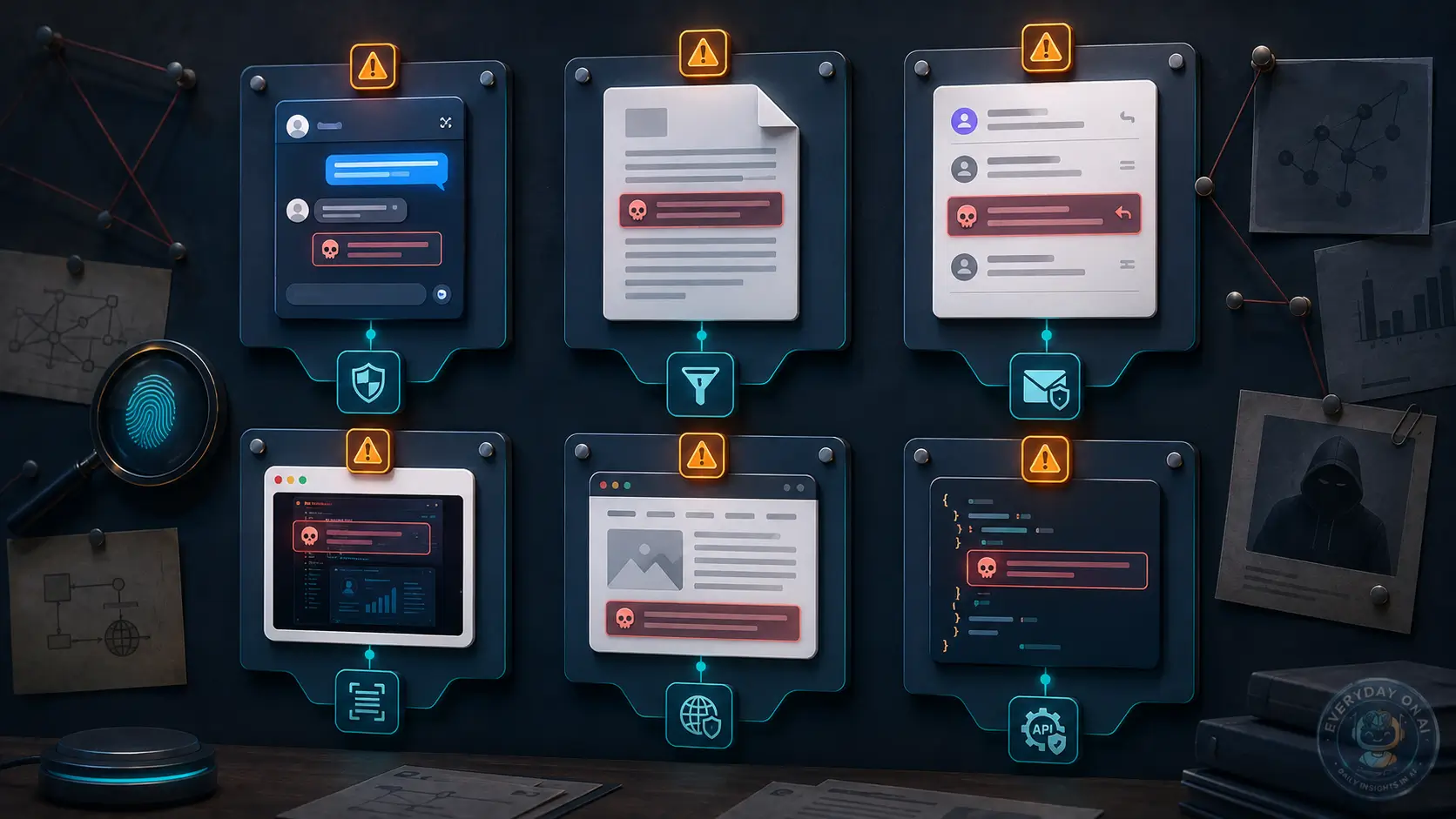
OWASP LLM01:2025 makes the point clearly: prompt injection is a top application risk, but mitigation relies on multiple layers such as constrained behavior, validated output formats, filtering, least privilege, human approval, content segregation, and adversarial testing.[1]
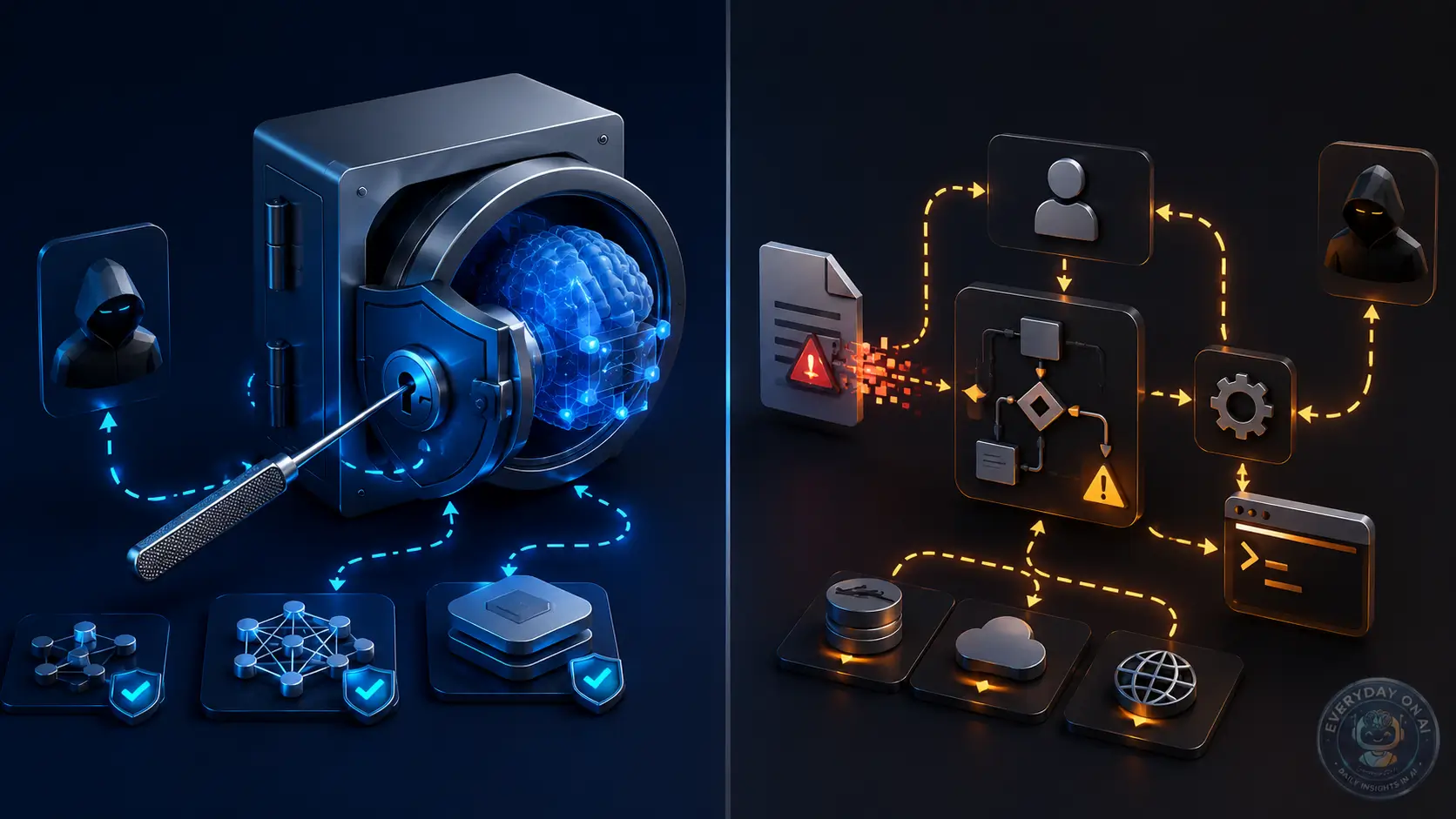
Interactive Architecture Diagram: Attack Flow and Defense Layers
The key design question is not whether the prompt looks malicious. It is whether untrusted content can influence privileged action.
@EverydayOnAI – Security insight
LLM security checklist becomes dangerous when an LLM can transform untrusted text into trusted action. Treat model output like an untrusted recommendation, not like an authorized command.
“The safest AI workflow is not the one with the strongest system prompt. It is the one where a compromised model still cannot do much damage.”
– EverydayOnAI editorial note
Animated Explainer: From Hidden Instruction to Blocked Action
This page is the broad LLM security checklist. Use Prompt Injection Prevention Checklist for instruction-boundary defenses, RAG Prompt Injection Checklist for retrieval systems, AI Agent Security Checklist for tool-using agents, and AI Data Leakage Prevention Checklist for sensitive-data handling.
The LLM Security Checklist
Production Controls
- – Maintain an inventory of all LLM apps, models, tools, datasets, vector stores, and owners.
- – Classify each workflow as chatbot, RAG, agent, or autonomous workflow.
- – Separate trusted instructions from untrusted user, document, retrieval, and tool-output content.
- – Validate structured outputs with deterministic code before using them downstream.
- – Apply least privilege to every tool token, API key, browser session, and file permission.
- – Require human approval for high-impact actions such as email, payments, code deployment, HR decisions, or data export.
- – Log prompts, retrieval sources, model outputs, tool proposals, approvals, and final actions.
- Run adversarial testing against direct, indirect, RAG, multimodal, and agentic scenarios.
- Review vendor claims for prompt injection, data retention, monitoring, and incident response support.
- Define rollback, containment, and user notification procedures for AI incidents.
Prompt Layer
Define role, scope, limitations, expected format, and refusal behavior. But do not rely on prompt text alone.
Retrieval Layer
Score sources, sanitize chunks, track provenance, and prevent retrieved content from setting policy.
Tool Layer
Use narrow tokens, action validation, sandboxing, approval gates, and logs.
Monitoring Layer
Track blocked actions, suspicious documents, policy overrides, and repeated attack patterns.
Section Summary
- The checklist must cover model behavior and application permissions.
- Every control should produce evidence that can be reviewed later.
- The strongest gate is the one that prevents untrusted model output from becoming privileged action.
Mini Case Study: MCP Client Security Gaps
Mini case study
A 2026 empirical analysis studied prompt injection and tool-poisoning across seven MCP clients: Claude Desktop, Claude Code, Cursor, Cline, Continue, Gemini CLI, and Langflow. The study compared mechanisms such as static validation, parameter visibility, injection detection, user warnings, execution sandboxing, and audit logging, and found significant disparities across clients.[9]
The practical lesson is simple: AI-assisted development tools should be treated as agentic systems with tool permissions, not just chat interfaces. Security review must include tool visibility, sandboxing, and audit logs.
Chatbot vs RAG vs AI Agent: Risk Comparison
This comparison is specific to LLM security checklist. The same model can sit inside a simple chatbot, a retrieval workflow, or an agentic application, but the security question changes with the workflow.
| Workflow | What to evaluate | Control implication |
|---|---|---|
| Chatbot | Use it to verify input labeling, output policy, user disclosure, and abuse reporting. | A chatbot checklist should not pretend to cover tool permissions it does not use. |
| RAG system | Use it to review source governance, access inheritance, retrieval logging, and citation policy. | Checklist evidence should include source samples and retriever test cases. |
| AI agent | Use it to review tool registry, permission scope, approvals, transaction limits, and action logs. | Checklist status should block release when high-impact tools lack owners. |
Section Summary
- Compare workflows by capability, not by model name.
- RAG shifts risk toward source governance and retrieval evidence.
- Agents shift risk toward permissions, approvals, and rollback.
Technical Example: Checklist Control Pseudo-Code
def run_llm_security_checklist(app):
    failed = app.controls.missing_required_evidence()
    stale = app.controls.find_stale_exceptions(days=30)
    if failed or stale:
        return escalate(failed + stale)
    return approve_release(app.name)
This example is deliberately narrow. It shows how the release checklist becomes an enforceable workflow decision rather than a paragraph in an article.
Common Mistakes: Checklist Errors to Avoid
Implementation mistakes to avoid
- Publishing release controls, owners, test evidence, tool permissions, and monitoring signals without an owner or review status.
- Using generic LLM security language instead of topic-specific control evidence.
- Letting exceptions remain open without a due date.
- Testing chatbot prompts but not retrieval, file, or agent paths.
- Measuring activity instead of control effectiveness.
- Keeping results in a document that the release process never checks.
- Failing to update cluster links after adding related articles.
Narrative End-to-End Scenario
A product team launches an internal AI assistant that reads product specs, summarizes roadmap documents, and creates Jira tickets. At first, it has broad Jira permissions and no source trust scoring. During a red-team exercise, a test document instructs the model to create a high-priority ticket that changes a release decision. The secure version adds document quarantine, source labels, JSON output validation, and human approval for high-impact Jira updates. The result is not “no prompt injection.” The result is controlled blast radius.
Decision Tree: How Risky Is This Workflow?
Use this decision tree when the team needs to decide which specialized checklist applies to a production LLM feature. The goal is routing: a chatbot, RAG workflow, agent, MCP integration, and logging pipeline should not all receive the same review.
- Only a text chatbot? Review prompt boundaries, abuse handling, output policy, and basic monitoring.
- Retrieves company content? Move to RAG source governance, ingestion review, access filters, and citation testing.
- Calls tools or MCP servers? Add tool inventory, scoped credentials, approval gates, session logging, and rollback tests.
- Touches private data or regulated records? Add data minimization, redaction, retention limits, and incident-response evidence.
- Changes business state? Require release approval, red-team scenarios, and residual-risk sign-off before launch.
Section Summary
- This checklist is the hub; the decision tree sends teams to the right spoke article.
- Risk classification should change review depth, required owners, and launch gates.
- The output should be an assigned control path, not a generic high-medium-low label.
Operating Model for the LLM Security Checklist
A checklist needs an operating model. Otherwise, it becomes a document that everyone agrees with and nobody owns. Assign one accountable owner for each LLM application, one security reviewer for each risk tier, and one business approver for residual risk. For high-risk applications, include legal, compliance, privacy, and data governance reviewers.
The checklist should be used at four moments: before initial deployment, after model or vendor changes, after adding new tools or data sources, and after any incident or near miss. Treat new retrieval sources and new tool permissions as material changes. They can alter the risk profile more than a model version update.
For engineering teams, connect checklist items to CI/CD or release gates where possible. A system that lacks a data-flow diagram, tool permission manifest, logging plan, and test evidence should not move from pilot to production.
Implementation Playbook: Turn Checklist Into Production Control
Turn the checklist into a release gate. Each item needs an owner, an evidence artifact, a pass/fail rule, and an exception age so the checklist changes launch decisions.
- Define the workflow boundary and the owner.
- Attach evidence to the control, not only to the article.
- Add one regression test for the highest-risk failure mode.
- Review exceptions weekly until the control is stable.
Metrics and Monitoring for Checklist
The right metric should show whether the control is alive, not whether the team created documentation. Start with checklist pass rate, exception age, and unresolved high-risk control count. Then add a weekly review for exceptions, stale owners, and unresolved high-risk paths.
EverydayOnAI Recommendation for Checklist
A checklist is useful only when it blocks or escalates unsafe release paths. The durable version has owners, evidence, exception age, and a decision rule for launch.
Maintenance Cadence and Ownership
The LLM security checklist should be owned as a release artifact and a recurring operations artifact. Engineering can complete the technical checks, but security, governance, and product should review unresolved exceptions before launch.
| Cadence | Owner | Checklist evidence |
|---|---|---|
| Before launch | Product security and engineering | Completed control checklist, blocked items, approval notes, and release decision. |
| Monthly | Security operations | New alerts, tool changes, retrieval issues, denied actions, and incident trends. |
| Quarterly | AI governance lead | Exception review, policy updates, owner confirmation, and control maturity changes. |
| After material change | System owner | Updated checklist for new model, data source, vendor, tool, or user group. |
Frequently Asked Questions
What is an LLM security checklist?
An LLM security checklist is a production-readiness framework for reviewing prompts, data flows, retrieval, tools, permissions, monitoring, and incident response before an LLM app goes live.
Is prompt injection the only LLM security risk?
No. OWASP also lists sensitive information disclosure, supply chain, poisoning, improper output handling, excessive agency, system prompt leakage, vector weaknesses, misinformation, and unbounded consumption.
Who should own the checklist?
Ownership should be shared by security, AI engineering, platform engineering, compliance, and product leadership, with one accountable system owner for each AI application.
How often should teams review LLM security controls?
Review at launch, after any model/tool/data-source change, after incidents, and at a recurring cadence such as quarterly for high-risk systems.
Does a prompt shield solve LLM security?
No. Prompt shields help detect attacks, but they can produce false positives and false negatives. They should be one layer in a broader control architecture.
What is the most important control for AI agents?
Least privilege plus human approval for high-impact actions is the most important control because it limits damage even if the model is manipulated.
5-Point Recap
- Prompt injection is an application security problem, not merely a prompt-writing problem.
- Risk rises sharply when external content, retrieval, memory, or tools are connected to the model.
- Strong system prompts help, but permissions, validation, approval, and logs matter more.
- RAG and AI agents need explicit trust boundaries between evidence, instructions, and actions.
- The right operating model is defense-in-depth: isolate, validate, constrain, approve, monitor, and red-team.
Source Coverage Note
This article’s control vocabulary, risk framing, and implementation guidance were also cross-checked against the remaining sources in the reference list.[4][5][6][7][8][10]
References
- OWASP GenAI Security Project, “LLM01:2025 Prompt Injection,” 2025. Defines prompt injection, direct and indirect variants, impacts such as unauthorized function access, and mitigation layers including least privilege, external-content segregation, human approval, and adversarial testing. Source
- NIST, “Artificial Intelligence Risk Management Framework: Generative Artificial Intelligence Profile, NIST AI 600-1,” July 2024. Describes direct prompt injection, indirect prompt injection through retrieved data, information-security impacts, and recommends red-teaming for GAI attacks. Source
- Microsoft Learn, “Prompt Shields in Azure AI Content Safety,” 2025. Describes user prompt attacks, document attacks, Prompt Shields for user prompts and documents, and limitations including false positives and false negatives. Source
- AgentDojo Research, “AgentDojo: A Dynamic Environment to Evaluate Prompt Injection Attacks and Defenses for LLM Agents,” 2024. Introduces 97 realistic tasks and 629 security test cases for evaluating AI agents using tools and untrusted data. Source
- arXiv, “Measuring Real-World Prompt Injection Attacks in LLM-based Resume Screening,” May 2026. Analyzes approximately 200K real-world resumes and reports that about 1% contain hidden prompt injections, with prevalence increasing over the prior one to two years. Source
- arXiv, “Prompt Injection as Role Confusion,” February 2026. Shows that untrusted text that imitates an authoritative role can inherit perceived authority, with average success rates around 60% on StrongREJECT and 61% on agent exfiltration tasks. Source
- arXiv, “A Cross-Modal Prompt Injection Attack against Large Vision-Language Models with Image-Only Perturbation,” May 2026. Introduces CrossMPI, a cross-modal prompt injection method using image-only perturbation to steer both visual and textual interpretation in LVLMs. Source
- arXiv, “Adversarial Prompt Injection Attack on Multimodal Large Language Models,” March 2026. Studies imperceptible visual prompt injection against closed-source multimodal large language models using optimized image perturbations. Source
- arXiv, “Are AI-assisted Development Tools Immune to Prompt Injection?,” March 2026. Empirically evaluates prompt injection and tool-poisoning risk across seven MCP clients, including Claude Desktop, Claude Code, Cursor, Cline, Continue, Gemini CLI, and Langflow. Source
- arXiv, “A Multi-Agent LLM Defense Pipeline Against Prompt Injection Attacks,” September 2025. Evaluates a multi-agent defense pipeline across 400 attack instances and reports reduced attack success in the tested scenarios. Source
Sources reviewed June 28, 2026. This article is educational guidance, not legal or security certification advice.
- Prompt Injection Explained – pillar guide
- Prompt Injection Examples – training-safe examples and patterns
- Prompt Injection vs Jailbreak – terminology and control differences
- Indirect Prompt Injection – hidden instructions in external content
- Prompt Injection Prevention Checklist – prompt and instruction-boundary controls
- RAG Prompt Injection – retrieval trust-boundary risk
- RAG Prompt Injection Checklist – source, ingestion, and retrieval controls
- AI Agent Prompt Injection – tool-calling and agentic risk
- AI Agent Security Checklist – permissions, approvals, rollback, and logs
- Multimodal Prompt Injection – image, PDF, and visual-context attacks
- Prompt Injection Risk Register – governance tracking and residual risk
- Sensitive Information Disclosure – private data exposure in LLM apps
- AI Data Leakage Prevention Checklist – minimization, redaction, and retention
- Excessive Agency – overpowered tools and autonomous action
- Model Context Protocol Security – MCP tool and server boundary review
- LLM Supply Chain Security – models, plugins, parsers, and connectors
- LLM Logging and Audit Trail – evidence without over-logging private data
- AI Incident Response Plan – triage, containment, and recovery
- AI Red Teaming for LLM Apps – test scenarios before release
Download the Prompt Injection Security Checklist
Use this checklist to review RAG apps, chatbots, and AI agents before production deployment.