The 5 Best Open-Source AI Video Generators in 2026 (No Subscriptions)

The 5 Best Open-Source AI Video Generators in 2026 (No Subscriptions)
You hit “generate” and wait. A loading bar crawls across your browser. You sit there, hoping the cloud servers aren’t jammed again. Then, the monthly bill arrives. Paying $40 or $90 every month just to test creative concepts burns a hole in any creator’s pocket.
The good news? That era is dying. Finding the best open-source AI video generators is no longer about accepting compromised quality. Instead, it is about taking back ownership of your rendering pipeline. We spent the last month benchmarking the latest models running locally on our own hardware. No API limits. No subscription fees. Just raw, unrestricted compute.
This guide breaks down exactly which models are worth your hard drive space and how to pick the right one for your specific creative workflow.
Why Ditch the Cloud? The Local AI Movement
Renting server time made sense when video models required supercomputers. Now, they don’t. The shift toward open-weight models is the most important trend in modern film and content production.
Running models locally gives you three massive advantages. First, you get total privacy. Your client files and proprietary prompts never leave your machine. Second, you unlock infinite experimentation. You can batch-generate 50 different variations of a single shot while you sleep without burning through a credit quota. Finally, local models plug directly into node-based editors, allowing you to chain image upscaling and audio creation into one seamless factory line.
Top 5 Open-Source AI Video Generators Reviewed
We tested dozens of repositories found on platforms like Hugging Face (the main hub for AI models). Most are buggy lab experiments. However, these five are production-ready tools that you can deploy today.
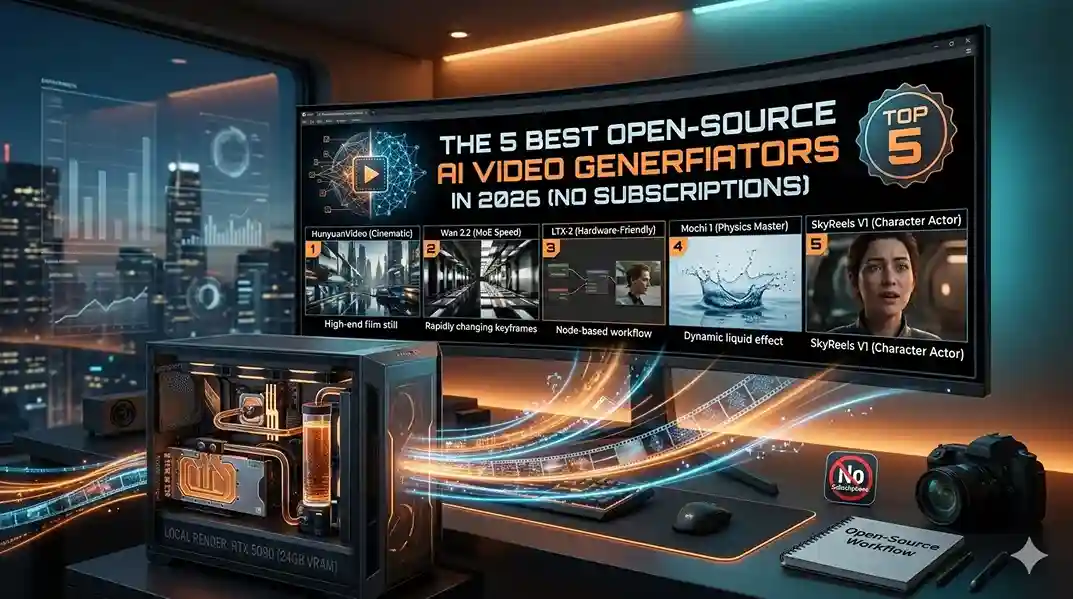
1. HunyuanVideo (The Cinematic Heavyweight)
If you want raw, uncompromised quality that rivals the biggest closed-source players, Tencent’s HunyuanVideo is the current king. Boasting over 13 billion parameters, this model understands complex scene composition incredibly well.
- The Good: Incredible text-to-video alignment. It handles difficult reflections, atmospheric fog, and cinematic camera movements with shocking accuracy.
- The Bad: It is exceptionally heavy. You will need a top-tier GPU (24GB VRAM) to run the full version efficiently.
- Best Use Case: Short film production and high-end commercial mockups.
2. Wan 2.2 (The MoE Speed Demon)
Alibaba’s Tongyi Lab dropped a technical marvel on the community with Wan 2.2. Instead of a traditional monolithic structure, it uses a Mixture-of-Experts (MoE) architecture. Consequently, the model only activates the specific “brain paths” it needs for your prompt.
- The Good: Blazing fast generation speeds. On a consumer-grade RTX 4070, it can spit out a high-quality 5-second clip in just a few minutes.
- The Bad: Complex human geometry can occasionally glitch.
- Best Use Case: Rapid prototyping and animating midjourney static images to life. (Read more in our guide to AI image generation).
3. LTX-2 (The Hardware-Friendly Champion)
Not everyone has a $2,000 graphics card sitting under their desk. Fortunately, LTX-2 was engineered from the ground up to be highly efficient without looking cheap.
- The Good: It runs comfortably on 12GB VRAM cards. It integrates natively into node workflows, making it a favorite for developers.
- The Bad: Lower native resolution. You will need a secondary upscaler step to get crisp 4K results.
- Best Use Case: Solo creators on mid-range laptops and daily workflow automation.
4. Mochi 1 (The Physics Master)
Genmo’s Mochi 1 takes a completely different technical approach using an Asymmetric Diffusion Transformer. What does that mean for you? Simply put, this model understands real-world physics.
- The Good: Liquid splashes, cloth tearing, and chaotic motion are rendered beautifully. It also supports highly descriptive, paragraph-long text prompts.
- The Bad: The file size is massive, meaning download times and storage requirements are significant.
- Best Use Case: Abstract art generation and product B-roll featuring liquids.
5. SkyReels V1 (The Character Actor)
Built on top of a solid foundation, Skywork AI fine-tuned SkyReels V1 specifically for human portrayals. If you are tired of AI humans looking dead behind the eyes, this is your solution.
- The Good: Focuses heavily on facial micro-expressions. It supports over 30 distinct emotional states seamlessly.
- The Bad: Less versatile for non-human subjects.
- Best Use Case: Narrative storytelling and digital avatar creation.
The Hardware Reality Check
Let’s be completely honest. Running the best open-source AI video generators requires serious silicon. You cannot do this on a five-year-old office laptop.
To run these models comfortably today, here is the baseline of what you actually need:
- Minimum Setup: An NVIDIA RTX 3060 with at least 12GB of VRAM. You will be restricted to optimized models like LTX-2.
- Recommended Setup: An NVIDIA RTX 4090 or a Mac Studio with an M4 Ultra chip. 24GB of memory is the sweet spot for generating 1080p clips without crashing.
- Storage: A dedicated 1TB NVMe SSD. Model weights are massive, easily eating up 40GB of space per folder.
💡 Expert Tip: The VRAM Offloading Trick
Getting “Out of Memory” (OOM) errors? Don’t buy a new GPU just yet. Open your application settings and enable “Weight Streaming” (sometimes called CPU Offloading). This forces your computer to swap the heaviest parts of the model back and forth between your fast GPU memory and your slower system RAM. Your render time will double, but your video will actually finish generating without crashing.
Conclusion
The walled gardens are coming down. Subscription services will always have a place for casual users who just want a quick video from their phone. However, for professionals, agencies, and serious creators, the top open-source AI video generators offer a level of control that cloud platforms simply cannot match.
Whether you choose the cinematic depth of Hunyuan, the blistering speed of Wan 2.2, or the hardware-friendly LTX-2, the power of a full animation studio now sits locally on your desk. The compute is yours. The data is yours. What will you build with it?
Frequently Asked Questions (FAQ)
Are open-source AI video generators totally free?
Yes, the software and model weights are 100% free to download. However, you pay for the electricity and the upfront cost of your hardware. If you don’t have a strong PC, renting a cloud GPU by the hour is often still cheaper than a monthly SaaS subscription.
Can I use these videos for commercial client projects?
Generally, yes. The majority of the models listed here use permissive licenses like Apache 2.0. This allows you to monetize the generated videos on YouTube or use them in paid client advertisements. Always verify the specific license file in the official repository first.
Why do my local videos look blurry compared to paid cloud tools?
Cloud generators often hide a multi-step enhancement process behind a single click. When running locally, the base text-to-video model usually outputs at 480p or 720p to save memory. To get crisp 4K results, you must pass that output through a secondary AI upscaler step in your workflow.
Share this article