AI Agent Prompt Injection: Risks, Examples & Defenses


AI Agent Prompt Injection: Risks, Examples & Defenses
Who Should Read This?
This guide is written for teams that build, secure, approve, or govern LLM applications. It is especially useful if tool-calling agents can turn a malicious instruction into an action, especially when browser, email, code, or workflow tools are over-permissioned.
Key Takeaways
- AI agent prompt injection is more dangerous than ordinary chatbot injection because the model can call tools, browse websites, write code, send messages, or update business records.[1]
- AgentDojo shows why tool-using agents need dedicated security tests: the benchmark includes 97 realistic tasks and 629 security test cases for agents that operate over untrusted data.[3]
- A 2026 public competition found all evaluated frontier models vulnerable across tool calling, coding, and computer-use agent settings, with 464 participants submitting 272,000 attack attempts and 8,648 successful attacks.[4]
- MCP and tool-based ecosystems expand the attack surface because tool descriptions, tool outputs, hidden parameters, and server-provided content can influence agent behavior.[5]
- The best defense is not a stronger system prompt. Companies need least privilege, tool-call approval, output firewalls, sandboxing, audit logs, and adversarial testing.[1]
Infographic: How AI Agent Prompt Injection Moves Through a System
User text, web content, PDFs, emails, code, tickets, or retrieved documents enter the workflow.
The application mixes trusted instructions with untrusted content inside the model context.
The model may treat data as instruction if the boundary is not enforced by architecture and policy.
The output may mislead the user, call a tool, leak context, or change a workflow decision.
Isolation, least privilege, approval gates, monitoring, and red-team tests reduce the blast radius.
“For AI agents, the prompt is only the entry point. The blast radius is determined by tools, permissions, and approval gates.”EverydayOnAI security note
AI agent security starts with one question: what is the most damaging tool call this model can make after reading untrusted content?
Mini Case Study: A Realistic Enterprise Scenario
Scenario: A workflow agent reads a project document, follows a hidden instruction, drafts a message to a customer, and attempts to attach sensitive context from another workspace.
- Root cause: untrusted content was processed in the same context as trusted instructions.
- Control failure: the system lacked a permission boundary before tool use or user-facing output.
- Better design: classify content, isolate retrieved text, require approval for sensitive actions, and log every decision.
Timeline: From Safe Request to Compromised Workflow
The user asks a legitimate question or assigns a workflow task.
The system reads a web page, email, PDF, code file, vector result, or ticket comment.
Malicious or conflicting text is presented near trusted task instructions.
The model may follow the injected instruction unless architectural controls separate instruction from evidence.
Policy checks, tool scopes, approval gates, and output validation reduce the chance of harmful action.
Defense Cards: What to Add Before Production
Architecture Diagram: Trust Boundaries and Tool-Calling Flow
Topic-specific architecture view: For AI agents, the architecture must separate observation from authority. The agent may read untrusted content, but it should not treat that content as permission to act.
The highest-impact boundary is the transition from model output to real action: email sending, code execution, database update, purchase, ticket change, or API call.
Reviewers should inspect tool scope, approval thresholds, rollback paths, budget limits, and action logs before agent workflows reach production.
Section Summary
- The main trust boundary for AI agent prompt injection is where untrusted content becomes model-visible context or action authority.
- Controls should label source, intent, permission, and evidence separately instead of relying on the model to infer them.
- The architecture review should produce concrete evidence: source policy, tool permissions, approval gates, and logs.
Decision Tree: How Risky Is This Deployment?
Use this agent scorer before adding a tool or permission. It separates low-risk drafting from workflows that need approval, sandboxing, or red-team review.
Chatbot vs RAG vs AI Agent: Agent Injection Comparison
| System | Agent Injection surface | Failure mode | First control |
|---|---|---|---|
| Chatbot | Visible user conversation | Unsafe instruction appears directly in the prompt. | Input policy and output filtering. |
| RAG | agent memory, tool outputs, delegated tasks, browser pages, and API connectors | Retrieved material changes the answer path. | Source labels and permission-aware retrieval. |
| AI Agent | Tools, memory, and delegated tasks | a manipulated instruction becomes a real tool action. | Scoped tool authority and approval gates. |
Technical Example: Agent Injection Tool Authority Gate Pseudo-Code
def approve_agent_action(agent, action, source_label):
    if source_label == "untrusted" and action.writes_data:
        return deny("untrusted_source_cannot_trigger_write")
    if action.impact in ["financial", "customer_message", "code_change"]:
        require_human_approval(action.id)
    return execute_with_scoped_token(action)
This example keeps authority outside the model. The application decides what context is trusted, what action is allowed, and what evidence is logged.
Common Mistakes: Agent Injection Implementation Traps
Mistakes to avoid
- Assuming system prompts can neutralize agent memory, tool outputs, delegated tasks, browser pages, and API connectors.
- Letting the model decide whether a source is trusted.
- Skipping trace IDs for context that influenced the answer.
- Testing only direct prompts while ignoring workflow inputs.
- Giving tools broader permissions than the user has.
- Deploying without a rollback or connector-disable procedure.
- Failing to convert incidents into regression tests.
End-to-End Narrative Case Study: Agent Injection
An agent reads a vendor ticket and proposes a customer-facing email plus a CRM update. The safer design lets the model draft the message, but the send action and record update require scoped approval and an audit trace.
The important pattern is repeatable: classify the source, limit authority, preserve trace evidence, and convert the incident path into a regression test.
Animated Explainer: Agent Injection Flow
Agent Injection flow: source enters -> context is labeled -> policy gate approves or blocks -> model produces answer -> output or tool gate records evidence. The risk moves when text gains authority inside the workflow.
What Is AI Agent Prompt Injection?
AI agent prompt injection is a form of prompt injection where an attacker places instructions in content that an agent may read or process. The agent may then treat that content as a valid instruction and use its tools in a way the user did not intend.
In a simple chatbot, prompt injection often manipulates the answer. In an AI agent, the same weakness can manipulate the execution path. The agent might call a tool, forward a message, change a file, create a pull request, or use a browser session while the user believes it is still following the original task.
OWASP lists prompt injection as LLM01 in the OWASP Top 10 for LLM Applications 2025. The guidance is especially relevant to agentic systems because OWASP includes direct, indirect, multimodal, agent-specific, and multi-turn attacks, and it explicitly warns that RAG and fine-tuning do not fully eliminate prompt injection risk.[1]
The practical definition
A useful enterprise definition is this: AI agent prompt injection is any instruction-like content from an untrusted source that changes an agent’s decisions, tool calls, data handling, or workflow outcome against the user’s intent.
Direct vs. indirect vs. agentic injection
Direct prompt injection comes from the user prompt itself. Indirect prompt injection comes from content the model reads, such as webpages, files, tickets, emails, PDFs, or retrieved knowledge. Agentic prompt injection is indirect injection with execution capability. It matters because the agent is not only generating language; it is choosing actions.
| Type | Source | Typical Impact | Agent Risk Level |
|---|---|---|---|
| Direct prompt injection | User prompt | Manipulated answer or policy bypass attempt | Medium |
| Indirect prompt injection | Web, file, email, ticket, RAG source | Hidden instruction affects answer or reasoning | High |
| Agentic prompt injection | Tool result, browser page, MCP tool, workflow data | Unauthorized tool call, data exposure, or workflow manipulation | Critical |
Section Summary
- AI agent prompt injection manipulates not only what the model says, but what the agent does.
- The highest-risk cases involve untrusted content, privileged tools, and weak approval gates.
- System prompts help, but they are not a reliable security boundary for agentic workflows.
Why Agents Change the Threat Model
AI agents combine a model with planning, memory, tools, external content, and multi-step execution. That combination makes them useful. It also creates new failure modes.
NIST AI 600-1 identifies prompt injection as a generative AI risk and distinguishes direct and indirect prompt injection. It also notes that malicious prompts may be placed in data that a system retrieves, which can lead to privacy, security, and integrity failures in downstream applications.[2]
Infographic: The 5-Step Agent Injection Chain
Untrusted content enters.
Email, webpage, ticket, PDF, code comment, tool output, or MCP response.
Instruction confusion starts.
The model sees attacker text and task instructions in the same context window.
Tool selection changes.
The agent chooses a tool or sequence that was not needed for the user’s goal.
Privilege is used.
The agent acts with user, service-account, browser, code, or API permissions.
Outcome escapes.
Data is leaked, code is changed, memory is poisoned, or a workflow is altered.
The “tool boundary” problem
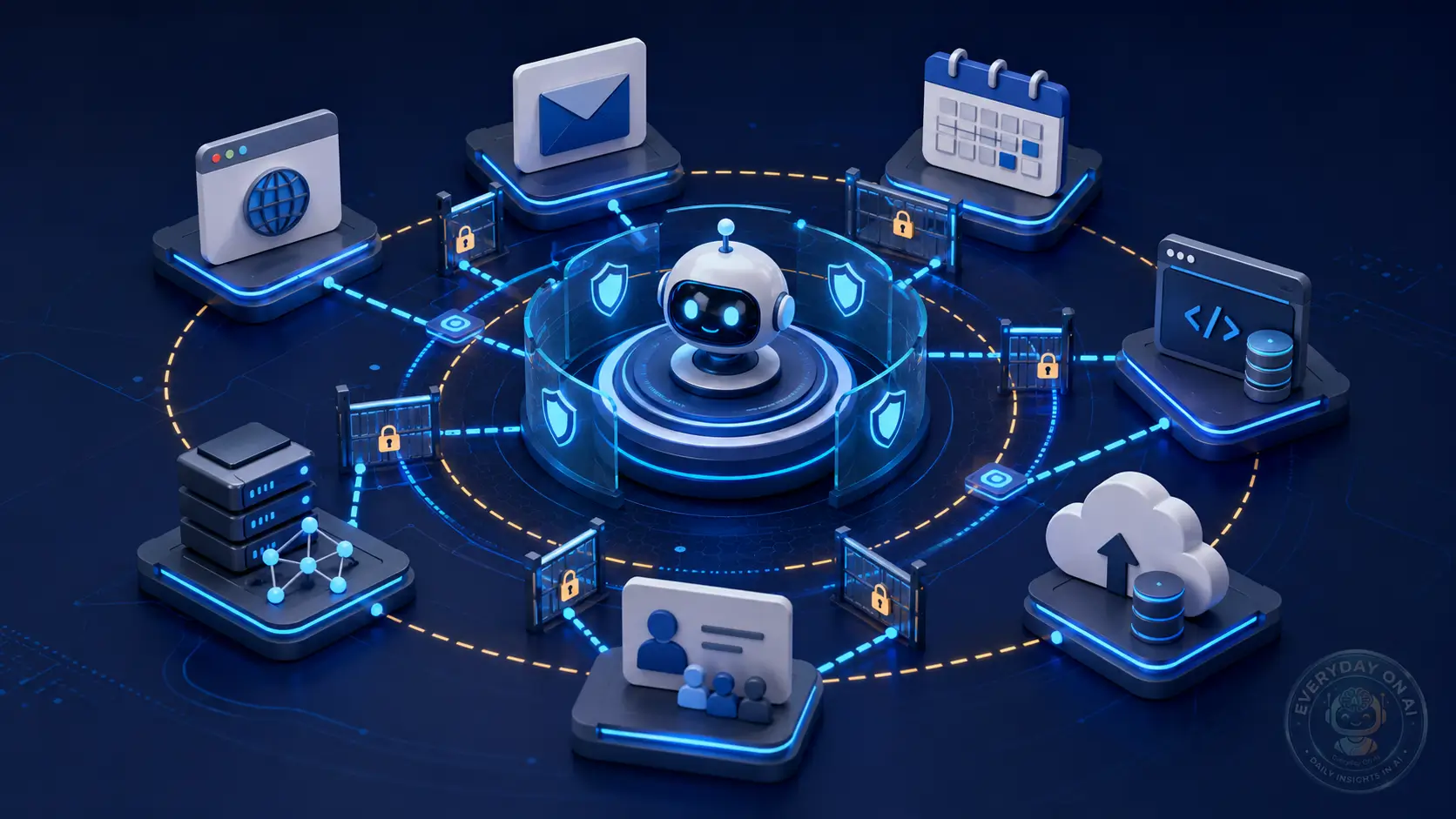
Every agent tool is a boundary. Search tools bring outside text into the agent. Email tools expose private messages. Browser tools expose webpages and sessions. Code tools expose files and terminals. API tools expose business systems. Prompt injection becomes dangerous when content from one boundary influences an action through another boundary.
The “confused deputy” pattern
Agent injection often looks like a confused deputy problem. The attacker cannot directly access the user’s tools. However, the agent can. The attacker therefore tries to convince the agent to use its trusted authority on the attacker’s behalf.
@everydayonai – AI Security
AI agents turn prompt injection into an access-control problem. A weak prompt may cause a bad answer. A weak agent boundary may cause a bad action.
Section Summary
- Agents create a larger threat model because they join natural language, tools, memory, and execution.
- The main risk is cross-boundary influence: untrusted content changes privileged tool use.
- Teams should design agent security around permissions and workflow boundaries, not only prompt wording.
The Agent Attack Surface
AI agent prompt injection appears wherever an agent reads data that the user or developer did not fully author. The attack surface is broad because modern agents collect context from many places.
Browser agents
Read webpages, click UI elements, and may mix trusted user intent with attacker-controlled page content.
Email and calendar agents
Process messages, attachments, invitations, and follow-up actions that may contain hidden instructions.
MCP and tool ecosystems
Expose tool metadata, server responses, and cross-tool chains that can influence agent behavior.
Coding assistants
Read repository files, issues, comments, dependencies, and terminal output before changing code.
Memory-enabled agents
May store manipulated preferences, facts, or instructions that influence future sessions.
Multi-agent workflows
Pass outputs between agents, spreading injected instructions through task graphs or orchestration layers.
Browser agents
Browser agents can read untrusted pages and perform actions inside authenticated sessions. A hidden instruction on a page may ask the agent to ignore the user’s task, click a particular element, copy private page content, or summarize a product in a biased way. The risk increases when the same browser context includes sensitive accounts.
Email and calendar agents
Email and calendar agents are valuable because they manage private workflow context. They are also high-risk because incoming messages and invites are attacker-controlled. A malicious email can include an instruction that tells the agent to forward a thread, classify the message as urgent, or add a memory for future recommendations.
Coding assistants and MCP clients
AI-assisted development tools can read repositories, run commands, call package managers, and interact with MCP servers. A 2026 empirical analysis of seven MCP clients studied Claude Desktop, Claude Code, Cursor, Cline, Continue, Gemini CLI, and Langflow, comparing features such as static validation, parameter visibility, injection detection, user warnings, execution sandboxing, and audit logging. The paper reported significant differences between clients, including susceptibility in some clients to cross-tool poisoning, hidden parameter exploitation, and unauthorized tool invocation.[5]
Third-party chatbot plugins
Agentic risk is not limited to frontier assistants. A 2025 study of 17 third-party chatbot plugins used by more than 10,000 public websites found that 8 plugins, used by about 8,000 websites, failed to enforce conversation-history integrity in network requests. It also found that 15 plugins offered tools such as website scraping, and about 13% of e-commerce websites had already exposed chatbots to third-party content.[10]

Section Summary
- Agent prompt injection can arrive through browsers, emails, files, code repositories, MCP tools, plugins, and agent-to-agent messages.
- Coding assistants and MCP clients deserve special attention because they may combine file access, tool metadata, terminal access, and hidden parameters.
- Public website chatbot plugins show that weaker, non-frontier AI applications also create real-world prompt injection exposure.
Mini Case Study: AgentDojo and Public Red-Teaming
Mini Case Study
AgentDojo + 2026 Public Competition: Agent Security Is Measurable, but Not Solved
AgentDojo was introduced as an environment for evaluating prompt injection attacks and defenses against agents that execute tools over untrusted data. It includes realistic tasks such as email management, e-banking navigation, and travel booking. The benchmark contains 97 realistic tasks and 629 security test cases.[3]
The 2026 public red-teaming competition is especially useful because it measured current frontier agent settings at scale. It included 464 participants, 272,000 attack attempts, 8,648 successful attacks, 13 frontier models, and 41 scenarios. The authors reported that all evaluated models were vulnerable, with attack success rates ranging from 0.5% to 8.5% depending on the model.[4]
2024
AgentDojo formalizes tool-using agent evaluation with 97 tasks and 629 security test cases.
2025
Design patterns and plugin studies show that agent prompt injection is both an architecture problem and a web deployment problem.
2026 Q1
MCP client research studies tool poisoning across seven AI-assisted development tools.
2026 Q2
Public red-teaming data shows thousands of successful attacks across frontier agent scenarios.
Section Summary
- AgentDojo gives teams a practical way to test prompt injection in tool-using workflows, not only static chatbot prompts.
- 2026 red-teaming data suggests capability improvements do not automatically mean prompt-injection robustness.
- Security teams should test actual agent workflows with realistic tools, permissions, and adversarial content.
Defense Patterns for Tool-Using Agents
Defending AI agents requires layered controls. A stronger system prompt may reduce some failures, but it cannot be the only defense. OWASP recommends security patterns such as least privilege, human-in-the-loop controls for sensitive operations, external content isolation, structured prompts, input/output validation, monitoring, and adversarial testing.[1]
Before: Prompt-Only Defense
The agent reads webpages, emails, and files in the same context as the user task. Tools use broad credentials. Tool calls run automatically. Logs are incomplete. The team relies on “ignore malicious instructions” in the system prompt.
After: Boundary-Based Defense
Untrusted content is labeled and isolated. Tools use least privilege and scoped tokens. High-impact actions require approval. Tool outputs are sanitized. Every tool call is logged. Red-team tests run before production release.
1. Separate trusted instructions from untrusted content
Agents should treat webpages, files, emails, retrieved documents, tool outputs, and external API responses as untrusted data. They can be used as evidence, but they should not override task instructions or system policy.
2. Use least privilege for every tool
Do not give one agent universal access. Use separate tools, scoped credentials, restricted permissions, and task-specific tokens. A travel agent does not need access to payroll. A support summarizer does not need permission to delete customer records.
3. Add human approval for high-impact actions
Require explicit confirmation before external communication, financial transactions, code execution, file deletion, permission changes, memory writes, or business-record updates. Approval should show the planned action, target, data source, and reason.
4. Add tool-input and tool-output firewalls
Research on agent-tool firewalls has explored patterns such as minimizing tool inputs and sanitizing tool outputs. A 2025 paper found that a modular defense at the agent-tool interface could reach 0% or lowest possible attack success rate across four public benchmarks, while also warning that existing benchmarks can be saturated by weak attacks and need stronger adaptive testing.[7]
5. Enforce deterministic tool-call boundaries
ClawGuard, a 2026 runtime security framework, focuses on tool-call boundary enforcement for tool-augmented LLM agents. The paper identifies web and local content injection, MCP server injection, and skill file injection as primary attack channels, then proposes a user-confirmed rule set enforced before tool calls produce real-world effects.[6]
6. Log everything the agent does
Audit logs should include the user task, retrieved sources, tool inputs, tool outputs, tool-call decisions, approval prompts, final actions, and post-action status. Without this, incident response becomes guesswork.
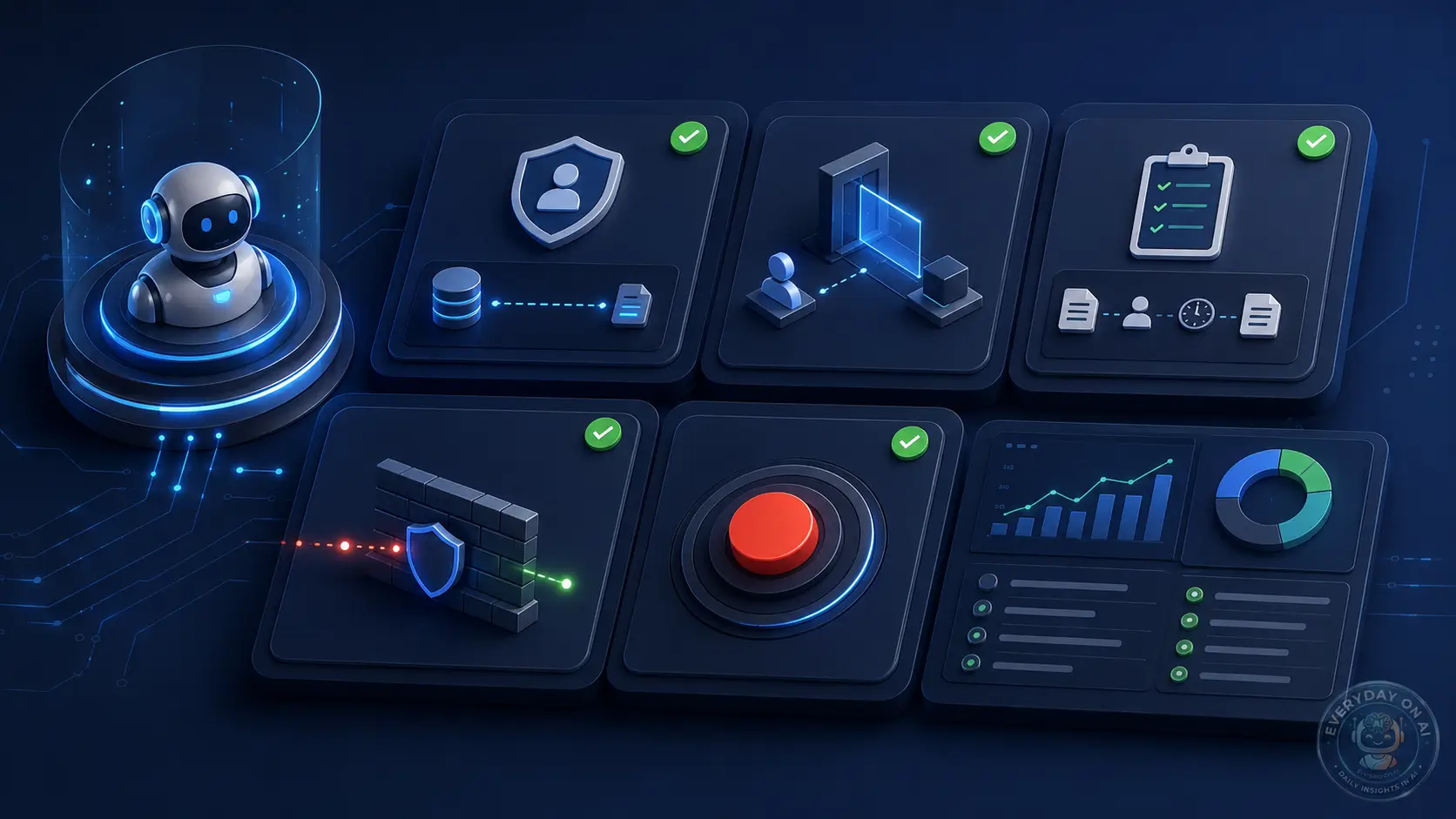
Agent Prompt Injection Defense Checklist
- – Label external content as untrusted before it enters the agent context.
- – Limit every tool to the minimum action and data scope required.
- – Require approval for email sending, code execution, transactions, file deletion, permission changes, and external API writes.
- – Show users the source that influenced each high-impact tool call.
- – Block tools from receiving unnecessary private context.
- – Sanitize tool outputs before they re-enter the agent’s planning context.
- – Log tool calls, approvals, denied actions, and source provenance.
- – Test agents with realistic indirect prompt injection scenarios before launch.
Section Summary
- Strong agent security depends on architectural controls, not only system prompts.
- Least privilege, approval gates, tool-output filtering, and audit logs reduce the damage when a model is manipulated.
- Runtime boundary enforcement and agent-tool firewalls are promising directions, but teams still need adaptive testing.
Interactive Tool: AI Agent Prompt Injection Risk Scorer
Use this self-assessment to estimate whether your AI agent workflow needs stronger prompt-injection controls before production. It is not a formal security audit, but it helps identify the controls that matter most.
Interactive Tool
AI Agent Prompt Injection Risk Scorer
Check every statement that applies to your agent workflow. The score prioritizes tool access, untrusted content, and irreversible actions.
This is a directional readiness check. Use it before internal security review, red-team testing, and production release.
Section Summary
- The riskiest agents combine untrusted content, tool access, and external actions.
- Memory, weak approval, and poor logs make attacks harder to detect and reverse.
- The interactive score should trigger deeper review for any workflow scoring 4 or higher.
Governance Checklist for AI Agent Prompt Injection
AI agent prompt injection is not only an engineering issue. It belongs in AI governance, security review, vendor risk management, and incident response.
Inventory
Record every agent, owner, tool, data source, permission, approval step, and production environment.
Permission model
Map which data and actions the agent can access. Remove broad credentials and shared admin tokens.
Red-team testing
Test direct, indirect, RAG, MCP, browser, memory, and cross-tool injection before deployment.
Audit trail
Keep evidence for source content, model decision, tool request, approval status, and final action.
What to add to the risk register
For each AI agent, document the prompt injection scenario, entry point, affected tool, maximum impact, existing controls, residual risk, control owner, review cadence, and incident response plan. This helps the security team avoid generic “AI risk” entries that cannot be tested.
When to block deployment
Block production release if the agent can read untrusted content and perform irreversible actions without explicit approval. Also block release if logs cannot reconstruct tool calls or if the agent uses broad credentials that would be valuable to an attacker.
According to EverydayOnAI
A secure AI agent program should look more like a privileged-access program than a chatbot rollout. The agent needs an owner, a permission model, a test plan, a rollback plan, and audit evidence. If those artifacts do not exist, the organization is not ready for autonomous tool use.
Section Summary
- Agent prompt injection should be tracked in system inventory, risk register, vendor review, and incident response workflows.
- Deployment should stop when untrusted content plus irreversible action lacks approval and logging.
- Agent governance should mirror privileged-access management because agents act with delegated authority.
Frequently Asked Questions
What is AI agent prompt injection?
AI agent prompt injection is a security weakness where malicious or untrusted instructions influence an AI agent that can use tools, browse websites, read files, send messages, write code, or perform workflow actions. The risk is higher than ordinary chatbot prompt injection because the agent may turn a manipulated instruction into a real action such as sending data, changing a record, invoking an API, or writing unsafe code.
Why are AI agents more vulnerable than chatbots?
AI agents are more vulnerable because they combine natural-language reasoning with tool access, external content, memory, and multi-step execution. A chatbot may only produce a bad answer, while an agent can read an untrusted webpage, treat hidden text as an instruction, choose a tool, and take an action in email, code, cloud storage, or a business application.
What are common AI agent prompt injection attack vectors?
Common vectors include malicious webpage content, emails, calendar invites, PDFs, support tickets, retrieved documents, MCP tool descriptions, tool outputs, skill files, code repository comments, browser pages, and agent-to-agent messages. The highest-risk pattern is untrusted content combined with privileged tools and weak human approval.
How can companies reduce AI agent prompt injection risk?
Companies can reduce risk by separating trusted instructions from untrusted content, limiting agent tool permissions, using scoped credentials, requiring human approval for irreversible or external actions, filtering tool outputs, validating actions against user intent, logging every tool call, testing agents with prompt-injection scenarios, and maintaining a kill switch for unsafe workflows.
Can a system prompt prevent AI agent prompt injection?
No. A system prompt can help, but it should not be treated as a security boundary. OWASP notes that prompt injection remains a persistent risk and that RAG or fine-tuning does not eliminate it. Secure AI agents need architectural controls such as least privilege, tool isolation, human approval, monitoring, and adversarial testing.[1]
Is MCP tool poisoning related to prompt injection?
Yes. MCP tool poisoning is closely related because a tool description, server response, or hidden parameter can influence how an AI agent chooses and uses tools. In AI-assisted development tools, this can lead to cross-tool poisoning, hidden parameter exploitation, or unauthorized tool invocation if the client does not validate tool metadata and enforce permissions.[5]
Section Summary
- AI agent prompt injection is defined by tool-capable execution, not only prompt manipulation.
- The most important controls are least privilege, approval, isolation, logging, and testing.
- MCP and coding assistants create new injection pathways through tool metadata and cross-tool workflows.
Conclusion: Treat AI Agents Like Privileged Actors
AI agent prompt injection is one of the clearest examples of why enterprise AI security must move beyond chatbot thinking. The model is only one part of the system. The real security boundary is the combination of context, permissions, tools, memory, and workflow automation.
Start with a simple rule: any agent that can read untrusted content and perform external actions needs security review before production. Then add the practical controls: source labeling, least privilege, approval gates, tool-output filtering, full audit logs, red-team testing, and incident response playbooks.
According to EverydayOnAI
The future of AI agent security will not be won by asking models to be perfectly obedient. It will be won by designing systems where a manipulated model still cannot cause unacceptable harm. That is the same lesson security teams learned from web apps, cloud IAM, and API security: assume failure, limit blast radius, and make every sensitive action auditable.
Action Checklist Before Publishing an Agent to Production
- – Create an inventory record for the agent, tools, data sources, owners, and environments.
- – Define which actions the agent can never take automatically.
- – Replace broad credentials with scoped tokens and least-privilege access.
- – Add human approval for external communication, code execution, transactions, deletion, and permission changes.
- – Log every source, tool call, approval, denial, and final action.
- – Run indirect prompt injection tests using webpages, files, emails, repository comments, and tool outputs.
- – Create a rollback and kill-switch plan for unsafe agent behavior.
5-Point Recap
- Agent injection becomes dangerous through action. The issue is not only what the model says, but what the workflow allows it to do.
- Observation is not permission. Content from a browser, email, repository, or document should not automatically authorize a tool call.
- Tool boundaries need policy. Use deny-by-default permissions, scoped credentials, human approval, and transaction limits for high-impact actions.
- Rollback is part of security. Agents should have action logs, undo paths, and escalation rules before they touch business systems.
- Governance should classify by capability. An agent that can write code, send mail, or update records needs stronger evidence than a read-only assistant.
References and Sources
- OWASP, “LLM01:2025 Prompt Injection,” 2025. Identifies direct, indirect, multimodal, agent-specific, and multi-turn prompt injection as the top LLM application risk; states RAG and fine-tuning do not fully eliminate the risk; recommends least privilege, human-in-the-loop controls, external content isolation, structured prompts, monitoring, and adversarial testing. genai.owasp.org
- NIST, “Artificial Intelligence Risk Management Framework: Generative Artificial Intelligence Profile (NIST AI 600-1),” July 2024. Defines generative AI risks including prompt injection; distinguishes direct and indirect prompt injection; highlights privacy, security, and integrity risks when systems retrieve malicious or manipulated data. nist.gov
- Debenedetti et al., “AgentDojo: A Dynamic Environment to Evaluate Prompt Injection Attacks and Defenses for LLM Agents,” June 2024. Introduces 97 realistic tasks and 629 security test cases for agents executing tools over untrusted data. arxiv.org
- “How Vulnerable Are AI Agents to Indirect Prompt Injections? Insights from a Large-Scale Public Competition,” March 2026. Reports 464 participants, 272,000 attack attempts, 8,648 successful attacks, 13 frontier models, and 41 scenarios across tool calling, coding, and computer-use settings. arxiv.org
- Huang, Huang, and Fard, “Are AI-assisted Development Tools Immune to Prompt Injection?” March 2026. Empirical study of seven MCP clients including Claude Desktop, Claude Code, Cursor, Cline, Continue, Gemini CLI, and Langflow; compares validation, warnings, sandboxing, logging, and susceptibility to tool-poisoning patterns. arxiv.org
- Zhao et al., “ClawGuard: A Runtime Security Framework for Tool-Augmented LLM Agents Against Indirect Prompt Injection,” April 2026. Identifies web/local content injection, MCP server injection, and skill file injection; proposes deterministic tool-call boundary enforcement. arxiv.org
- Bhagwatkar et al., “Indirect Prompt Injections: Are Firewalls All You Need, or Stronger Benchmarks?” October 2025. Studies a modular agent-tool firewall using tool-input minimization and tool-output sanitization across AgentDojo, Agent Security Bench, InjecAgent, and tau-Bench; warns that existing benchmarks may be saturated by weak attacks. arxiv.org
- Kaya et al., “When AI Meets the Web: Prompt Injection Risks in Third-Party AI Chatbot Plugins,” November 2025. Studies 17 chatbot plugins used by over 10,000 public websites; finds 8 plugins used by 8,000 websites fail conversation-history integrity and that 15 plugins expose website-scraping tools. arxiv.org
Sources verified June 28, 2026. This article is security education, not legal or formal penetration-testing advice.
Cluster Navigation: Prompt Injection Security
- Prompt Injection Explained
Pillar article: definition, risks, examples, and defense framework. - Indirect Prompt Injection Explained
Sub-pillar: hidden instructions in webpages, emails, PDFs, and external content. - Prompt Injection Prevention Checklist
Implementation article: controls, checklists, and readiness scoring. - RAG Prompt Injection
Retrieval-focused article: how retrieved documents manipulate LLM outputs. - Prompt Injection Risk Register Template
Governance article: turn prompt injection into testable risk entries.
Download the AI Agent Security Checklist
Use the checklist to review tool permissions, approval gates, audit logging, and prompt-injection test coverage before deploying AI agents in production.